How to Redeem Kopdes Shift Anomalies Codes
Be ready before the next official promo string drops — no active codes confirmed yet.
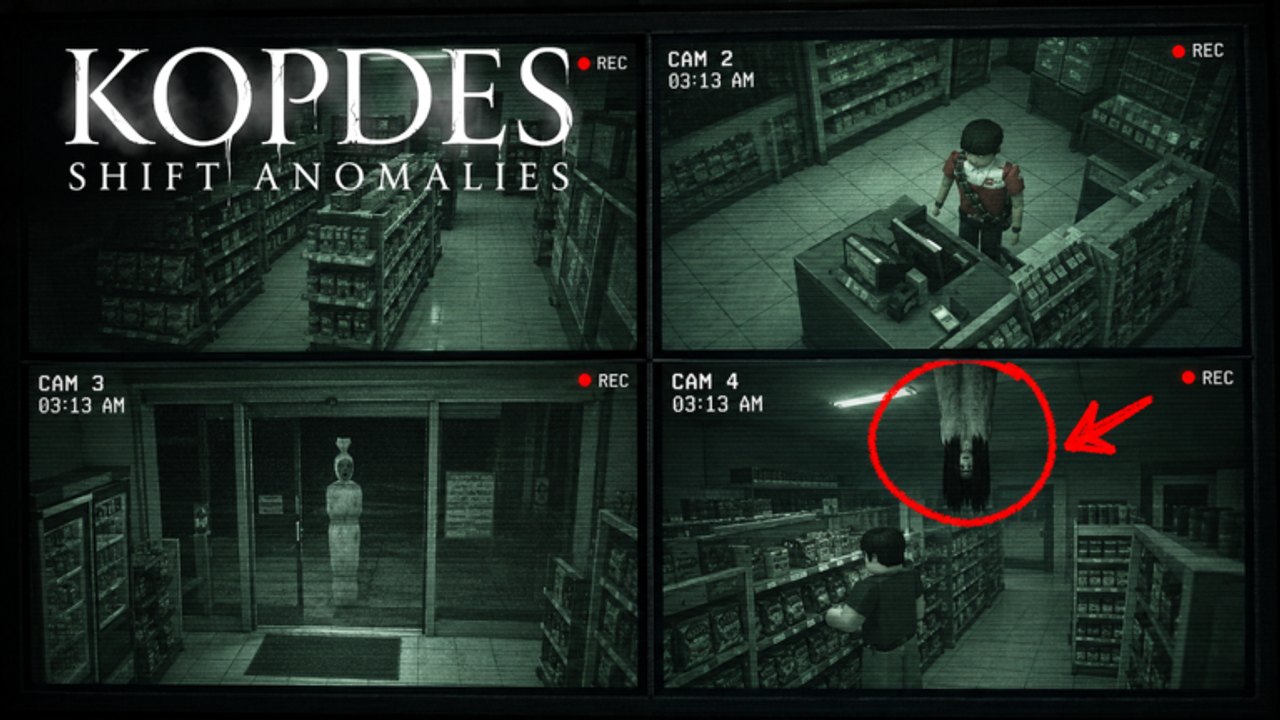
This page explains how to redeem codes in Kopdes Shift Anomalies once a legitimate promo string exists. Reminder first: the Codes Hub currently lists no verified active codes. Still, learning the redeem flow now saves time when Imaginature Interactive or a partnered event publishes one.
Kopdes Shift Anomalies is the Roblox night-shift cashier horror experience (place 117382010759945) where you serve customers at a village cooperative, scan items, take cash, and kick out folklore anomalies such as Pocong, Kuntilanak, Genderuwo, and Tuyul. Codes are optional extras; they do not replace learning the anomaly rules covered in Getting Started and the anomaly checklist.
Before you redeem anything
- Confirm the code on the Codes Hub or an official Imaginature Interactive / group post — not a random comment.
- Make sure you are logged into the correct Roblox account that owns the progress you care about.
- Join the experience from the official game page so you are in the live place, not an old copy.
- Disable overlays that block UI clicks if your redeem button seems unresponsive.
Never share your password, email code, or browser cookie with someone who claims they will “redeem for you.”
Typical Roblox redemption patterns
Roblox experiences use a few common patterns. Kopdes Shift Anomalies may use one or more of these after an update — check the current UI rather than assuming a fixed menu forever.
1) In-experience Codes button or shop tab
Many games place a Codes, Redeem, or gift-box icon on the HUD, lobby, or pause menu.
- Enter the experience and wait for the full UI to load.
- Look for a Codes / Redeem / Gift icon on the main HUD, cashier desk UI, or settings panel.
- Open it, paste the code exactly (watch capital letters and hyphens).
- Confirm and wait for a success toast or inventory update.
If you do not see a Codes button yet, that can simply mean no redeem UI shipped or it is gated behind a later update. Recheck after patches tracked on the Updates Hub.
2) Lobby or notice-board interactable
Some horror maps hide redeem behind a board, radio, or NPC in the starting lobby.
- Before starting a night shift, walk the lobby and look for prompts such as “Codes,” “Events,” or “Rewards.”
- Press the interact key shown on screen.
- Enter the string carefully and submit once — spamming submit can look like an exploit attempt to some anti-cheat systems.
3) Group or social instruction only
Occasionally developers publish a code that must be redeemed through a specific group reward, store page, or limited-time event UI rather than a permanent Codes box. When that happens:
- Follow the exact steps in the official post.
- Prefer links that open Roblox.com or the experience itself.
- Cross-check the string on this wiki’s Codes Hub once we verify it.
If the redeem location is still unclear for a newly announced code, check the group wall, in-game mail/notice, and UI after relaunching. We will update How to Redeem Codes when a stable path is confirmed.
Exact typing tips that prevent “invalid code” errors
- Copy and paste when possible; avoid OCR from blurry screenshots.
- Do not add spaces before or after the string.
- Respect letter case if the code is case-sensitive.
- Do not append “Roblox,” “Kopdes,” or emoji — redeem only the published token.
- If you already redeemed it on this account, a second attempt will usually fail with “already used” rather than “invalid.”
What to do if redemption fails
Work through this checklist before assuming the wiki is wrong:
- Confirm status — Open the Codes Hub. If we marked the code expired or unverified, stop.
- Relaunch — Leave the experience, rejoin, and try once more.
- Account check — Soft age restrictions, region filters, or brand-new accounts sometimes cannot claim event rewards yet.
- Typo pass — Compare character by character with the official source.
- Timing — Codes can expire within hours of a livestream. Fast redeemers win; late redeemers see failures.
- Wrong game — Make sure you are in Kopdes Shift Anomalies, not a similarly named anomaly cashier experience.
If a code fails for everyone after a patch, document the date and move on — then keep playing. Your real progress still comes from surviving nights, managing strikes, and identifying anomalies with tools like the anomaly checklist and rankings on the Tier List Hub.
Co-op note (1–4 players)
Codes are almost always per Roblox account, not per party. In a 1–4 player shift, every friend who wants the reward must redeem on their own account. Do not idle in someone else’s private session expecting shared code loot unless the official text explicitly says otherwise.
Safety: codes vs scripts
A promo code is a short redeemable string. It is not:
- A Synapse / Wave / Solara executor paste
- A “auto kick anomalies” script
- A free Robux generator
If a “code” looks like a Lua loadstring, leave it alone and read the Scripts Hub plus executor safety pages instead. Account bans and malware are not worth a fake reward.
After a successful redeem
- Check inventory, currencies, and any event trackers.
- Note the reward so you can compare with friends without reseeding scams.
- Return to your shift goals — endings, clean nights, and co-op roles from Getting Started.
- Browse the Tools Hub and Links Hub for more official resources.
Related links
- Codes Hub — live / empty status list
- Updates Hub — patch timing
- Getting Started — first shift basics
- Scripts Hub — honest third-party tooling status
- Links Hub — official Roblox and creator links
Redeem carefully, verify sources, and remember: no confirmed active codes means the best “reward” right now is still a clean night at the kopdes.
Frequently Asked Questions
Quick answers to the most common questions.
Where is the Codes button in Kopdes Shift Anomalies?
Check the HUD, pause/settings menu, lobby interactables, and shop-style tabs after joining the live experience. If none appear, the redeem UI may not be live yet—recheck after updates.
Why does my code say invalid?
Common causes: expired string, typo, wrong experience, already redeemed, or an unverified fake code. Confirm status on the Codes Hub first.
Can my whole co-op party share one redemption?
Usually no. Each Roblox account must redeem separately unless an official event explicitly grants party-wide rewards.
Are there active codes to redeem today?
No verified active promo codes were confirmed at research time. Follow the Codes Hub and official posts, then use these steps when a real string appears.
Is a loadstring a redeem code?
No. Loadstrings are third-party scripts. See the Scripts Hub and executor safety guide; never treat them as promo codes.