Kopdes Shift Anomalies Controls & UI Guide
Know every prompt before the jumpscare steals your mouse.
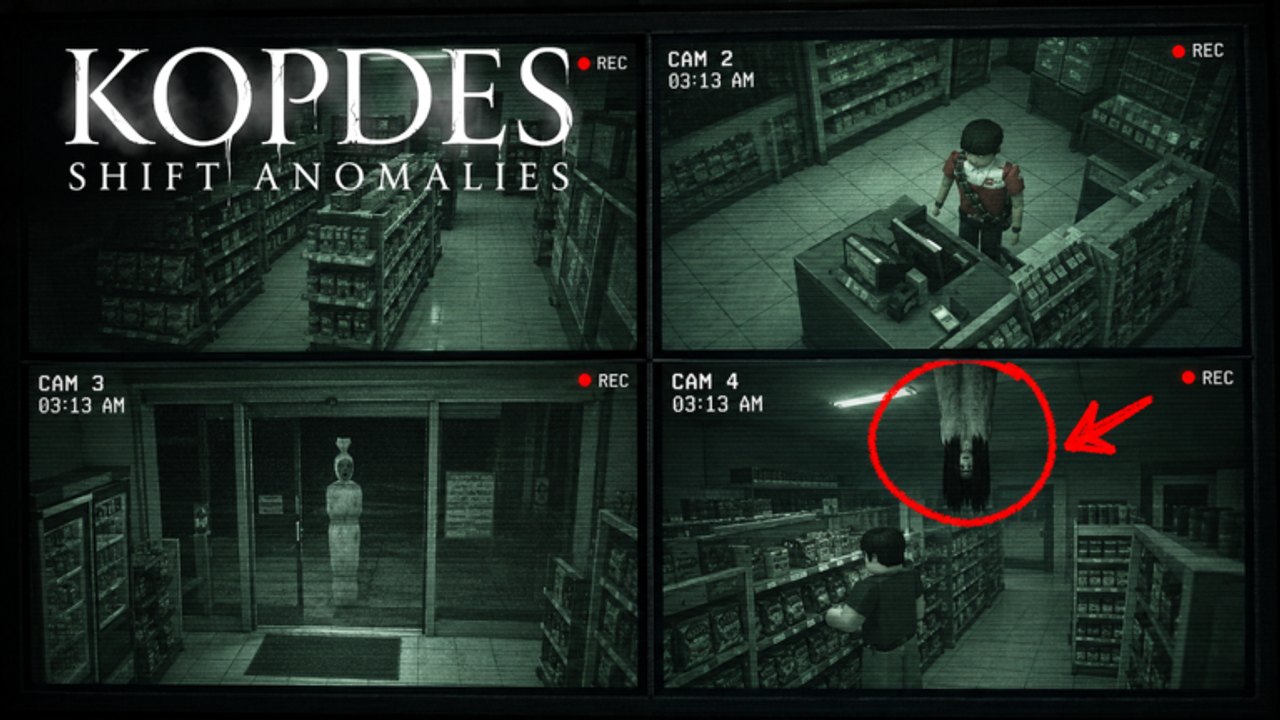
Horror anomaly games punish hesitation and mis-clicks equally. Kopdes Shift Anomalies expects you to move through a village cooperative, open the regulations, serve humans, kick anomalies, and handle phones, radios, and warehouse props without fumbling. This page documents the controls and UI habits that keep your hands steady when Indonesian folklore walks up to the register.
Pair this with Getting Started for first-night flow and How to Identify Anomalies for what those kick prompts should actually target.
Default Roblox movement
On keyboard and mouse (the most common setup for precise kicking):
- WASD — move through the store, warehouse, and outdoor threshold.
- Mouse — look / aim camera at faces, shelves, and prompts.
- Shift — sprint when you need to reach the radio, hide from a chase entity, or return to the counter before the queue explodes.
- Space — jump only when traversal needs it; most cashier work is grounded.
- E or on-screen ProximityPrompt — interact with customers, register tools, doors, notes, radio, phone, and books (exact bind follows your Roblox settings).
Mobile players use the virtual joystick plus tap prompts. Increase camera sensitivity carefully: you need fast face checks without overshooting the kick button. Controller users should map interact to a face button they will not confuse with menu back.
The rules book (press G)
Community runs and tutorials highlight G as the quick open for the Village Head regulations / rules book. Make this muscle memory on spawn:
- Press G (or open the book from the UI if your platform remaps it).
- Read the kick list before the first customer arrives.
- Re-open after any scare that scrambled your memory.
- Re-open at 11:50 PM in-game so midnight phone discipline is fresh.
- Re-open near 2:50 so the 3:00 window does not surprise you.
If G does nothing on your device, check the on-screen cashier UI for a regulations button, or open the in-experience settings for keybinds. The important part is availability under stress, not the letter itself—but keyboard players should treat G as the default answer when guides say “open the book.”
Counter prompts: serve vs kick
At the register you will see contextual actions to scan / serve / take cash versus kick / turn away / refuse. Learn which control is which before the line gets long:
- Practice on the first obvious human: complete a full serve cycle so you know the success feedback.
- Practice a deliberate safe kick on a clearly anomalous customer once you can spot one—see the face/body rules in Identify Anomalies.
- Never mash both prompts. Double inputs are how people serve the anomaly they meant to kick.
In co-op, only one player should own the kick confirm to avoid crossed wires (Co-op Tips).
Phone UI
The store phone is a story device and a trap. After 12:00 AM, the regulations say do not answer. Train this as a UI rule:
- When it rings before midnight, decide consciously whether the current rules allow a pickup.
- When it rings after midnight, move your cursor away from the answer prompt. Looking at the prompt is how muscle memory betrays you.
- In co-op, call “phone bait—nobody answer” so a teammate does not “help.”
Radio UI
A radio that turns on by itself is not a volume bug. The book tells you to touch it three times. Count out loud: one, two, three interactions. Stopping at one because the sound paused is a common fail. If power flickers and a flashlight upgrade becomes relevant, bind or favorite that item so you are not digging through a shop menu mid-chase.
Warehouse and notes
Proximity prompts on the previous cashier’s note, warehouse door, and sticky book are ending forks. Read the note for orientation; treat the warehouse book as restricted if the rules ban reading it. Same for leaving the shop at 3:00 AM—the door prompt is still a prompt, and prompts are not always safe. UI availability ≠ permission.
Camera discipline for anomaly checks
- Frame the face first, then the full body, then the basket.
- Crouch or step aside if a hat or shadow hides the eyes.
- On mobile, pinch-zoom carefully; do not lose the kick button off-screen.
- After a jumpscare, pause one second before accepting the next prompt—scare recovery clicks cause false serves.
Audio as a control surface
Wear headphones. Radios, knocks on glass, entity audio, and phone rings are soft controls that tell you which UI to seek next. Muting the experience removes half the interface.
Accessibility and settings
Lower graphic clutter if foliage or shadows hide black eyes. Raise UI scale on mobile so kick versus serve labels stay readable. If Indonesian voice lines are hard to parse, rely on the written rules book—the kick list is visual and textual, not voice-only.
Suggested bind checklist
| Action | Typical input | Habit |
|---|---|---|
| Move / look | WASD + mouse | Face customers before prompts |
| Sprint | Shift | Radio / hide / return to counter |
| Interact | E / tap prompt | Notes, doors, radio, phone |
| Rules book | G / UI button | Open on spawn, pre-midnight, pre-3:00 |
| Serve / scan | Context prompt | Only after human confirmation |
| Kick | Context prompt | Instant on hard anomaly cues |
| Phone | Context prompt | Never after 12:00 AM |
| Radio | Interact ×3 | Count aloud |
Practice routine (five minutes)
- Spawn and open the book with G.
- Walk counter → phone → radio → warehouse door without serving anyone.
- Serve one confirmed human cleanly.
- Kick one confirmed anomaly cleanly.
- Ignore a post-midnight ring on purpose.
Finish that routine before you chase the Endings Guide or deep Survive the Night routes. Controls mastery is what makes anomaly knowledge usable. When your fingers already know G, kick, and “do not answer,” the Village Head has fewer excuses to take your keys.
More wiki context lives on the Guides Hub, with side pages for Codes, Tier List, Updates, Players, Scripts, and Official Links.
Frequently Asked Questions
Quick answers to the most common questions.
What key opens the rules book?
On keyboard, press G to open the Village Head regulations in most runs. If nothing happens, use the on-screen cashier UI or check your Roblox keybinds.
How do I kick an anomaly?
Use the contextual kick / turn-away prompt at the counter after you confirm a rule violation. Do not mash the serve prompt at the same time.
How many times should I touch the radio?
When it turns on by itself, interact three times as the regulations describe. Count aloud so you do not stop early.
Can I remap controls on mobile?
Mobile uses on-screen sticks and tap prompts. Increase UI scale and practice serve vs kick labels in a calm early-evening queue before midnight pressure.